
Even the best content can struggle to rank if your website suffers from common WordPress SEO mistakes. Many website owners focus on publishing content while overlooking technical issues that quietly damage search visibility.
Understanding and fixing WordPress SEO mistakes can improve rankings, user experience, and long-term organic traffic growth.
Fortunately, most WordPress SEO mistakes are easy to identify and fix once you know what to look for.
In this guide, you'll learn the most common WordPress SEO mistakes that can negatively affect rankings, traffic, user experience, and overall website performance.
Why Small SEO Mistakes Can Have a Big Impact
Search engines evaluate hundreds of factors when determining how websites should rank. While major technical problems can significantly impact visibility, many websites lose traffic because of several smaller issues working together.
Common consequences of poor SEO include:
- Lower search rankings
- Reduced organic traffic
- Poor user experience
- Lower conversion rates
- Indexing problems
- Reduced website authority
The good news is that many of these problems can be corrected without completely rebuilding your website.
Many WordPress SEO mistakes develop gradually, making them difficult to notice until rankings begin to decline.
1. Ignoring Technical SEO: One of the Most Common WordPress SEO Mistakes
One of the biggest WordPress SEO mistakes is focusing entirely on content while neglecting technical SEO.
Technical SEO helps search engines crawl, understand, and index your website efficiently.
Common technical SEO issues include:
- Broken XML sitemaps
- Poor website structure
- Missing canonical tags
- Crawl errors
- Improper redirects
- Indexing problems
Without a strong technical foundation, even excellent content may struggle to achieve its full ranking potential.
Learn more in our guide to Technical SEO for WordPress.
2. Slow Website Speed: A WordPress SEO Mistake That Hurts Rankings
Website speed directly affects both user experience and SEO performance.
Visitors expect pages to load quickly. If a website feels slow, users are more likely to leave before engaging with your content.
Common causes of slow WordPress websites include:
- Large image files
- Poor hosting environments
- Too many plugins
- Lack of caching
- Unoptimized code
Search engines increasingly prioritize websites that provide a fast and efficient experience for users.
Website speed improvements often benefit rankings, engagement, and conversion rates simultaneously.
For additional optimization strategies, read How to Speed Up WordPress Website Loading Speed.
3. Poor Core Web Vitals Performance
Core Web Vitals are a set of performance metrics used by Google to measure real-world user experience.
The three primary metrics include:
- Largest Contentful Paint (LCP)
- Interaction to Next Paint (INP)
- Cumulative Layout Shift (CLS)
Poor scores can indicate issues with loading speed, responsiveness, and visual stability.
You can test your website using Google PageSpeed Insights.
Improving Core Web Vitals often leads to a better user experience while supporting overall SEO performance.
For a deeper explanation, see our guide to Core Web Vitals.
Poor Core Web Vitals performance is one of the WordPress SEO mistakes that can negatively affect both user experience and search visibility.
4. Missing or Poorly Optimized Meta Titles
Meta titles remain one of the most important on-page SEO elements.
A poorly optimized title can make it difficult for search engines to understand the purpose of a page.
Common mistakes include:
- Missing title tags
- Duplicate titles
- Titles that are too long
- Titles that do not include target keywords
- Generic or unclear titles
Each page should have a unique, descriptive title that accurately reflects its content and encourages users to click.
5. Missing Meta Descriptions
Meta descriptions may not directly influence rankings, but they can significantly affect click-through rates.
A missing or poorly written description can reduce the likelihood of users selecting your page in search results.
Effective meta descriptions should:
- Summarize the page clearly
- Include relevant keywords naturally
- Encourage clicks
- Remain within recommended length limits
Well-written descriptions help improve search visibility and user engagement.
6. Weak Internal Linking
Internal links help search engines understand relationships between pages while guiding visitors to relevant content.
Many websites miss opportunities to strengthen SEO by failing to link related articles and service pages together.
Benefits of strong internal linking include:
- Improved crawlability
- Better content discovery
- Increased time on site
- Stronger topical authority
- More efficient distribution of link equity
For example, articles about website speed, Core Web Vitals, technical SEO, and Cloudflare should naturally support each other through contextual internal links.
Google's SEO Starter Guide also highlights the importance of creating logical site structures and helpful internal navigation.

7. Broken Links and 404 Errors
Broken links create a poor user experience and can make it more difficult for search engines to crawl your website efficiently.
Common causes include:
- Deleted pages
- Incorrect URLs
- Website migrations
- Changed permalink structures
Regularly auditing your website for broken links helps maintain a healthy website structure and prevents visitors from encountering unnecessary errors.
8. Poor Website Architecture
Website architecture plays a critical role in SEO.
If users and search engines struggle to navigate your website, important content may not receive the visibility it deserves.
A strong website structure should:
- Use logical categories
- Provide clear navigation
- Group related content together
- Minimize unnecessary clicks
Well-organized websites are easier to crawl, easier to maintain, and generally perform better in search results.
9. Ignoring Mobile Optimization
Google primarily uses mobile-first indexing, meaning the mobile version of your website is often considered the primary version.
Common mobile SEO problems include:
- Slow mobile performance
- Text that is difficult to read
- Poor navigation
- Layout issues
- Buttons that are difficult to tap
Every website should be tested regularly on mobile devices to ensure visitors receive a consistent experience.
10. Unoptimized Images
Large image files are one of the most common causes of slow-loading websites.
Image optimization should include:
- Compression
- Proper sizing
- Modern formats such as WebP
- Descriptive file names
- Relevant ALT text
Optimized images improve page speed while helping search engines better understand visual content.
11. Thin or Outdated Content
Publishing content is not enough. Pages should remain accurate, relevant, and useful over time.
Outdated content may contain:
- Old statistics
- Broken references
- Outdated recommendations
- Irrelevant information
Regular content updates help maintain relevance and demonstrate ongoing expertise to both users and search engines.
12. Not Monitoring SEO Performance
Many website owners make SEO improvements but never measure the results.
Important metrics to monitor include:
- Organic traffic
- Keyword rankings
- Core Web Vitals
- Indexing status
- Click-through rates
- Technical SEO issues
Tools such as Google Search Console provide valuable insights into how your website performs in search results and help identify problems before they impact rankings.
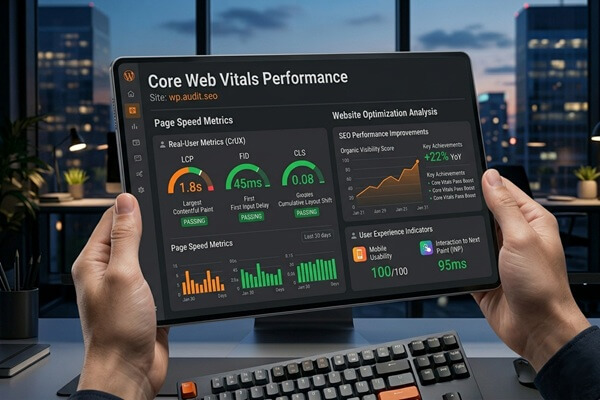
Fortunately, most WordPress SEO mistakes can be identified and corrected with regular audits, performance monitoring, and ongoing website optimization.

3 WordPress SEO Quick Wins
- Run a PageSpeed Insights test
Identify performance issues affecting website speed and Core Web Vitals. - Check for broken links
Fixing broken internal links can improve both user experience and crawlability. - Review your meta titles
Ensure every important page has a unique, keyword-focused title tag.
WordPress SEO Audit Checklist
Use this checklist to identify common WordPress SEO mistakes that may be limiting your website's visibility and rankings.
- XML sitemap is functioning correctly
- Website is indexed properly
- Meta titles are optimized
- Meta descriptions are present
- Internal links connect related content
- Broken links and 404 errors are fixed
- Core Web Vitals are monitored
- Pages load quickly on desktop and mobile
- Images are optimized
- HTTPS is enabled
- Website navigation is clear and logical
- Content is updated regularly
- Mobile usability is reviewed frequently
- Google Search Console is monitored
- Technical SEO issues are addressed promptly
Many SEO problems develop gradually and often go unnoticed until rankings begin to decline. Professional WordPress optimization services can help identify technical issues, improve performance, and support long-term search visibility.
Final Thoughts
Most WordPress SEO mistakes are entirely preventable. The challenge is that many website owners focus on content creation while overlooking technical, structural, and performance-related issues.
Addressing WordPress SEO mistakes proactively can help improve rankings, strengthen technical SEO, and create a better experience for both users and search engines.
Website Optimization & Security
Want to Improve Website Speed and Security?
Proper Cloudflare configuration can improve website performance, caching, security, and traffic filtering significantly. I help businesses optimize WordPress websites, VPS hosting environments, Cloudflare integration, and overall website infrastructure for better speed, security, and long-term stability.
Let’s optimize and protect your website properly.
FAQ
What are the most common WordPress SEO mistakes?
The most common WordPress SEO mistakes include poor technical SEO, slow website speed, weak internal linking, broken links, missing meta tags, and ignoring Core Web Vitals.
Can WordPress SEO mistakes hurt rankings?
Yes. Technical issues, poor user experience, and website performance problems can negatively impact search visibility and organic traffic.
How often should I perform an SEO audit?
Most websites should review SEO performance monthly and perform a more comprehensive audit at least quarterly.
Do Core Web Vitals affect SEO?
Core Web Vitals are part of Google's page experience signals and contribute to overall website quality and user experience.
What is the easiest SEO improvement to make today?
Start by checking website speed, fixing broken links, and optimizing page titles. These improvements can often be implemented quickly and provide measurable benefits.
How can I identify WordPress SEO mistakes on my website?
You can identify WordPress SEO mistakes by performing regular SEO audits, monitoring Google Search Console, testing Core Web Vitals, checking internal links, and reviewing technical SEO issues that may affect rankings.